Pallas Puzzles
tl;dr.  vorushin/pallas_puzzles - JAX’s kernel language puzzles
Pallas is JAX’s kernel language for writing custom operations that run on TPU. Pallas for TPUs is what Triton1 is for GPUs. The kernels are written to speed up model training and inference - the kernel languages provide low-level access to the hardware, allowing you to perform optimizations outside of the compiler’s reach. Tri Dao2 made his name by developing efficient kernels, you’ve probably heard of FlashAttention3.
The efficiency gains don’t come for free - the kernel implementations look complex and intimidating for many people. Kernels are optimized for specific hardware and have sophisticated tuning tools. There used to be an attitude that only experts touch Triton/Pallas kernels, but it’s not true anymore in 20264 - new agentic coding tools allow you to run experiments requiring changes in the whole stack: from data preparation to modeling changes, to training and inference kernels, to post-training algos, to agentic harnesses around the model candidates. To be able to guide the agents in this full stack setup one has to know the fundamentals of the most important components, or be able to learn them quickly.
As for kernel languages - understanding how kernels work under the hood opens doors for hardware-aware modeling improvements, especially for the newest generations of hardware - old tricks stop working, previously impossible things become possible. You can also earn some rep from your infra/inference colleagues if you know a thing or two about kernels your company uses.
Python notebooks with Pallas puzzles
While reading existing implementations of MoE blocks for TPUs, I stumbled upon Robert Dyro’s5 rdyro/Pallas-Puzzles - a 2-year-old port of Triton Puzzles. They didn’t work for me out of the box, but inspired me to ask Claude Code to write a few notebooks with puzzles that progressively build towards open-source Pallas kernels I was playing with at the time.
After some iterations the notebooks became helpful and I spent some time scratching my head solving them, trying hard before peeking at the hints. Link to the repo: vorushin/pallas_puzzles - they conveniently work on free Google Colab CPU instances. Try them, and create your own puzzles to deepen your understanding of whatever you’re working on.
From Pallas basics to SplashAttention
SplashAttention - SParse version of fLASH attention - an efficient implementation of attention on TPUs.
- basics: how to write Pallas kernels, up to batched matmuls.
- splash_attention: from vanilla softmax to the block-sparse implementation.
From Pallas basics to grouped matrix multiplications
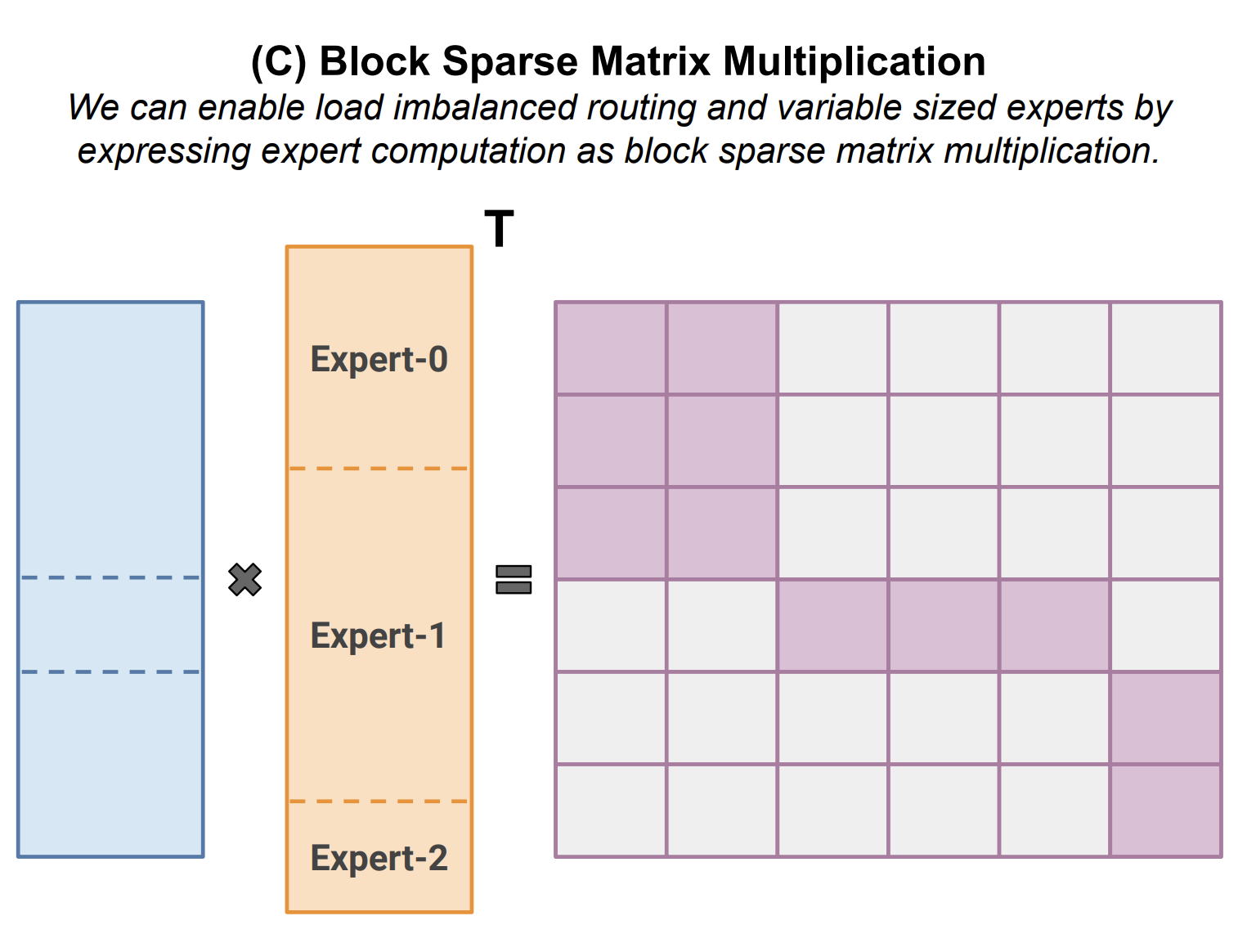
Grouped matrix multiplications are the core building blocks of modern MoEs. This notebook is a bit raw, you may need to fork and update it with your favorite coding agent to better fit your learning goals. I did work through it, and had fun even with its vanilla JAX parts (organizing the groups/blocks).
- basics: same as above.
- grouped_matmul: how to split tokens into blocks and multiply them efficiently with expert weights.
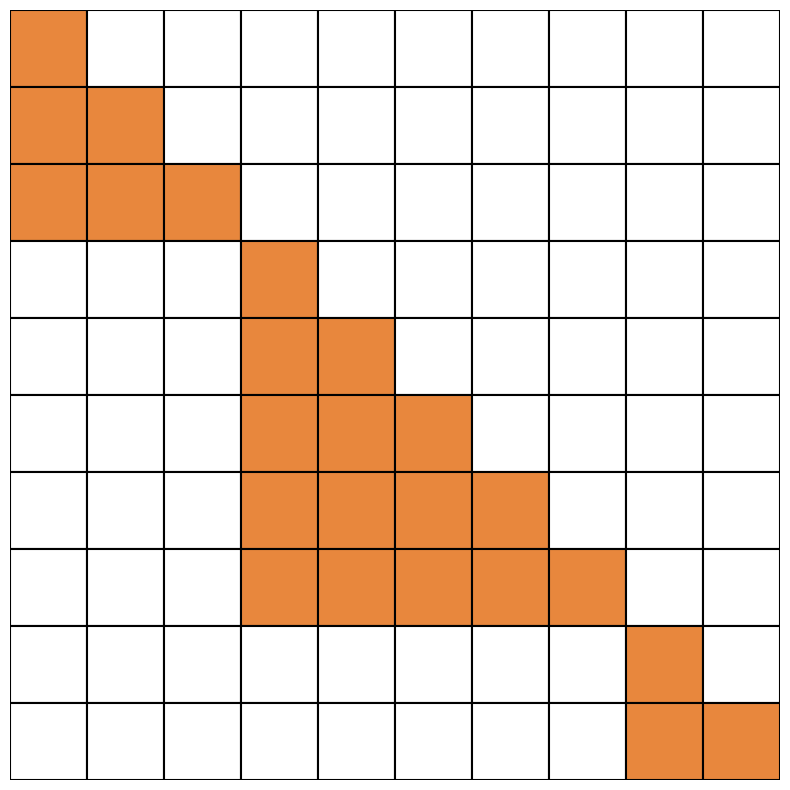
Working through both SplashAttention and gmm once again showed me how much similarity there is in their algorithms. Just look at these two figures below.
Create your own sets of puzzles
The notebooks were created with Claude Code. I worked through them many times and asked for a lot of improvements. As a result, the GitHub project contains useful guidelines on how to create new notebooks with sets of progressive puzzles in CLAUDE.md. It could be a good starting point for creating interactive study materials tailored for your needs.
Diagrams
I started with ASCII-diagrams. They weren’t always detailed enough, so I tried different ways of generating SVGs. Direct generation of SVGs from Opus 4.6 wasn’t really compelling (maybe my prompts weren’t good enough). After a while I switched to intermediate generation of draw.io diagrams and then generating SVGs out of them (prompts -> diagram.drawio -> diagram.drawio.svg). It’s possible to edit the diagram.drawio file manually and ask Claude Code to make an SVG out of it. This method works, but is time-consuming and requires having a drawio app (free)6 installed for the SVG conversion.
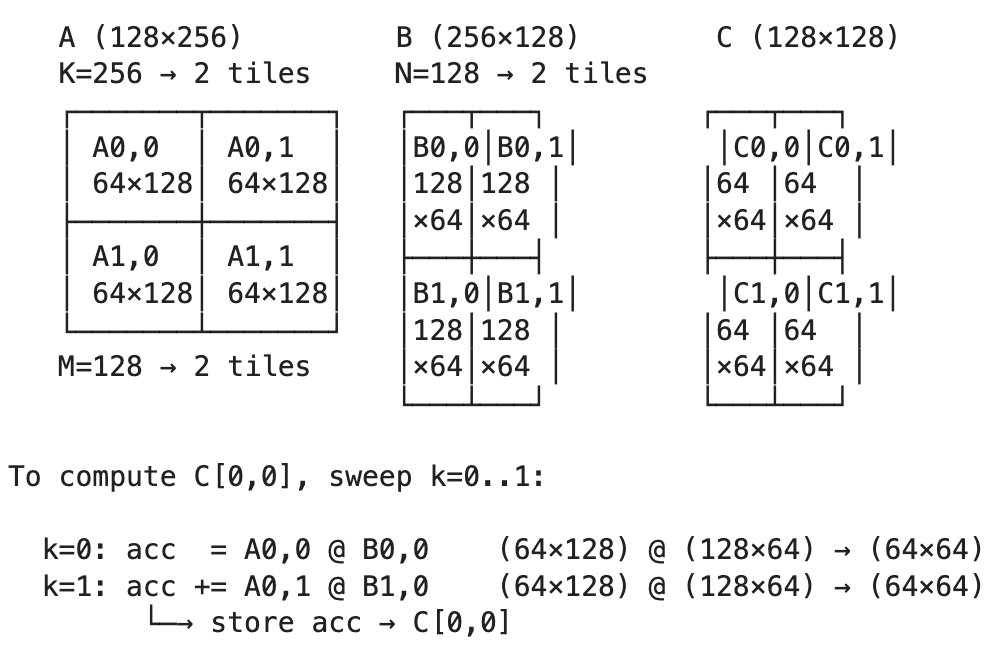

If you know a better way of generating helpful diagrams using Claude Code, please let me know.
Epilogue
Even though we don’t have to write code manually, it’s still a good idea to do it regularly. It’s comforting, even therapeutic - clickety-clack, rhythm, flow; like playing the piano. It’s also a good way to deepen expertise in the most critical or most interesting elements of the hardware/software stack.
I have a habit of rebuilding different parts of LLM training and inference infrastructure when I have a bit of free time. This way I get to learn a lot of nitty-gritty details and cool ideas that otherwise are solved by somebody else at my workplace.
-
Triton — GPU kernel language created by Philippe Tillet, Harvard. ↩
-
Tri Dao — I highly recommend reading his papers and digging into his code. I don’t know if it’s a coincidence that TRIton and TRI Dao share the prefix. ↩
-
GitHub repo: Dao-AILab/flash-attention and FlashAttention: Fast and Memory-Efficient Exact Attention with IO-Awareness on arXiv. ↩
-
And wasn’t true 50+ years ago. “Specialization is for insects.” — Robert A. Heinlein, Time Enough for Love, 1973. ↩
-
Also see his ragged_dot / gmm in JAX slides. They give a great overview of the capless MoE implementation on TPUs. ↩
-
Download the app, run brew install –cask drawio, or use the web app ↩